


 London Time







This Site may well be educational. Readers can use any material of Dr Azam's, no copyright, without having to seek permission, as long as acknowledgement is given.




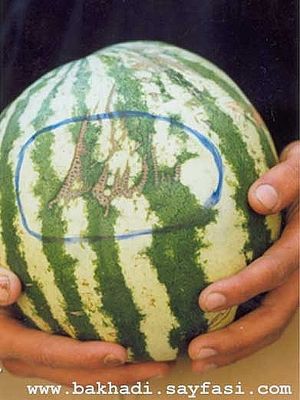
Islamic Miracle Photographs of Foods - Miracle Tomatoes/Aubergine/Cow/Rusks/Fruit/Berry/Mango/Fruit/Bread/Bread/Tomato/Plum/Water Melon/Goat/Goat/Vegetable
Acknowledgent: Dr Azam did not take these photographs himself; they are from the Internet as a whole and were obtained by entering the search terms: Islamic Miracle Photographs of Fruits;Islamic Miracle Photographs ofVegetables. To find out which websites they belong to, feel free to do the same searches.
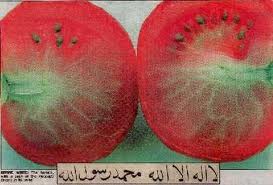

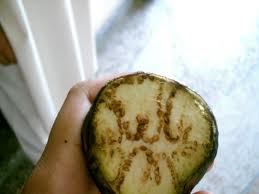

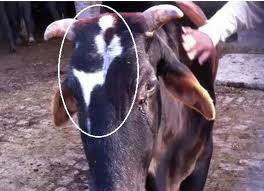

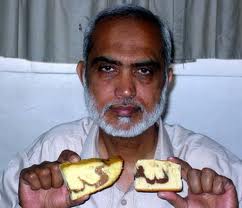

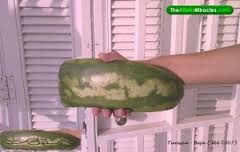

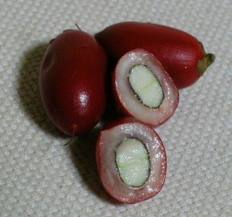

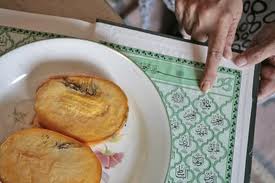


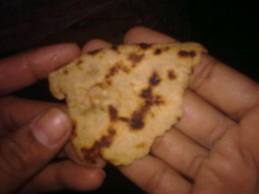

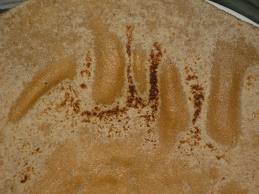

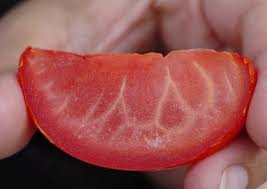

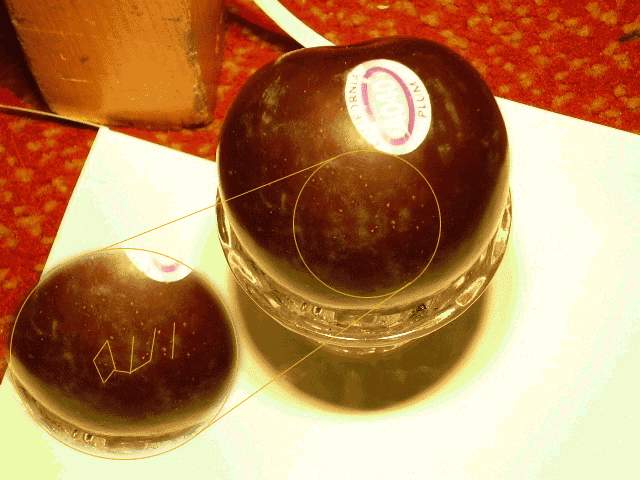

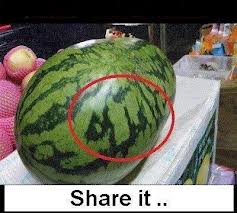

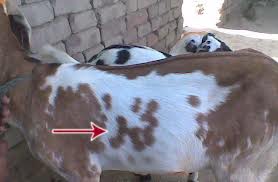

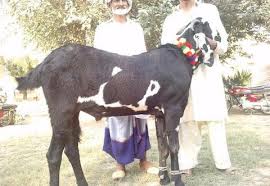

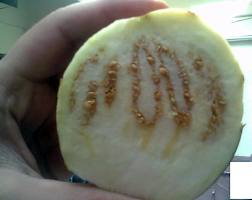
There are more Miracle Photographs on the next page of this Site: Correspondence

Assalamu Alaikum,
Welcome to this Website, which has been created on Monday 16 May 2011. The Halal Ingredients Report on www.dr-umar-azam.co.uk, one of my other Websites, has been more popular than I anticipated at the time of compiling it. A number of other websites and organisations have referred to it; you can see the specific entries if you search for the term: dr-umar-azam.co.uk in the Google Classic search box. As in the past, and in response to requests from pupils, visitors to my websites etc., I have once again been contacting UK and multinational companies such as Coca Cola, Walkers and McDonalds to exchange ideas and secure vegetarian lists. I'm pleased to report that manufacturing companies have responded to my enquiries very efficiently and professionally. As the competent staff of such companies realise, it is in the best interests of these companies, and their future prosperity, if they take on board the views of their consumers or potential consumers. For example, in 2007, Mars reverted to its original name from Masterfoodsand made the vast majority of its ingredients suitable for vegetarians in response to demands by its consumers.
...................................................................................................................................
www.Arbonne.com
Salam,
Thank you.
My name is Cinthya Monzoor my mission is to stop the poisoning of our bodies that come through our skin pores from non halal products!
My products full catalogue can be seen www.Arbonne.com and ships anywhere in Canada, USA, UK, and Australia. To order you have to enter my code 115814094
100% no animal products in skin care, baby care, hair care, makeup, and vitamins.
Salam
Cinthya
Sent from Samsung Mobile
Umar Azam <[email protected]> wrote:
Salam, Cinthya Monzoor
If you email me your info, I'll add it to the pages of my Halal Ingredients Web Site; that will be better than merely promoting your products in the Guest Book. And you can then refer people to my Site to see your info and the rest of the stuff on it.
Dr Umar
..................................................................................................................................
<AWARENESS> Halal Congress Middle East - Invitation
Groups, Newsletters |
Reply
MURAD BANA
Schedule cleanup
To [email protected], [email protected]
From: Halal Congress ME (3) <[email protected]>
INVITATION
AssalamoAlaikum
;
We wish you a Happy Eid ul Adha and pleased to inform you that Halal Congress Middle East would be held in Sharjah (11-12 Dec 2012).
It is a concurrent event with the 1st international Halal Food Trade Expo (10 – 12 Dec 2012), organized by Sharjah Chambers of Commerce & Industry under the Patronage of His Highness Dr Shaikh Sultan Bin Mohammad Al Qasimi, Supreme Council Member and Ruler of Sharjah and co-organized by Halal Development Council of Pakistan, with the full support of ICDT (Islamic Centre for Development of Trade) the trade development arm of the OIC (Organization of Islamic countries), Federation of UAE Chambers of Commerce & Industry and other Halal organizations worldwide.
The exhibition will showcase Halal food products & services while the Halal Congress will focus on the issues related to the Halal industry covering both consumable & non-consumables products. Addressed & attended by some of the world renowned scholars, scientists & Halal authorities from around the world, the Halal Congress will be focused on promoting the enormous business opportunities that Middle East offers to the world in Halal trade that is estimated to be US$2 trillion a year (including Food and non-Food) and is one of the fastest-growing industry having approximately 2 billion worldwide consumers.
The Halal Expo and Congress Middle East are organized with the target to promote the enormous business opportunities that Middle East offers to the world in Halal trade, in addition, the aim is to provide a regional platform for the Halal food trade in the Middle East, North Africa, Central Asia and the sub-continent.
Graced by a VVIP, the Congress will be addressed & attended by some of the world renowned scholars, scientists & Halal authorities from all over the world including the special presence of the guest of honor, His Eminence Dr. Mustafa Ceric, the Grand Mufti of Bosnia. The participants will include business professionals from various sectors of Halal economy as well as the senior Govt. functionaries, national & international trade chambers & experts etc. The Halal Congress middle east is our initiative to draw the attention of international community to the GCC and the UAE.
You have been an active promoter of the Halal Food movement and we are looking forward to your participation in this debut event, theHalal Congress Middle East, in the UAE.
In order to welcome you to the Halal Congress, we are pleased to offer you the following delegate package:
1) Free conference registration for all the participants of your organization (worth AED500 per person).
2) Special discounted rates of AED 275 (aprox US$ 76) per night at the official hotel, Holiday Inn, Sharjah (incl tax + breakfast).
3) Airport-hotel pick and drop. (to Holiday Inn, Sharjah)
4) Daily pick and drop from hotel to the Expo Centre. (from Holiday Inn, Sharjah)
5) Free distribution of your company flyers in the Congress Kit (flyers to be provided by you).
6) Free display of your standees at the Venue (standees to be provided by you).
7) Your company name and logo in the Halal Congress Marketing Campaign under the heading of “Supporter”. (please email us your logo)
8) Your Logo posted on Halal Congress website as ‘Supporter’ (Logo exchange between your and our websites).
Ø If you wish to Sponsor the event, please view the Sponsorship packages on this link: Sponsorship Packages
Ø To download Brochure, Please CLICK on this link: Download Brochure
Ø To download Updated Program, Please CLICK on this link: Download Congress Program
Ø To download Registration forms, Please CLICK on this link: Download Registration Form
Your participation will be a source of inspiration for us and we look forward to receive your Confirmation / filled registration form at the earliest.
With best regards
Sincerely
Asad Sajjad
Co-organizer - Halal Congress middle east
CEO / Secretary General - Halal Development Council
Secretary General - SAARC Halal Council
Founder / Director - HAP (Halal Association of Pakistan)
Email: [email protected] & [email protected]
Mobile: ++92 300 824 1818
Www.HalalCongress.Com
........................................................................................................................
----- Forwarded Message -----
From: Y a s m i n. <[email protected]>
To: Y a s m i n . <[email protected]>
Sent: Sunday, 4 November 2012, 22:04
Subject: [simple-islam] *12 FAVORITE FOODS OF PROPHET*[Salalahu Alahi wa Salam](BENEFICIAL READ) & THEIR ADVANTAGES+['QURAN']
Alhamduli'Allahi Rabbil-'Aalameen'
wa-Salaatu wa-Salaamu 'Alaa Ashrafil-Anbiyaa-e-wal-Mursaleen'~ Amma ba'd~
'Assalaamu `Alaykum wa Rahmatullaahi wa Barakaatuhu'.
TWELVE {12 } FAVORITE FOODS OF PROPHET MUHAMMAD ~[Salalahu Alahi wa Salam]~
Transliteration of the 'Quran'~
'Ya ayyuha arrusulukuloo mina attayyibati waAAmaloo salihaninnee bima taAAmaloona AAaleem'.
Translation :-
'O ye messengers! enjoy all things good and pure, andwork righteousness:
for I am well-acquainted with all that ye do.
{ Source :- 'QURAN' Surat Al-Mu'minūn 23 - سورة المؤمنونAyah # 51 }
*******************************************
1. Barley ( جو jau):
Good in fever, while use in a soup form.
2. Dates ( کھجور ):
The Prophet ~[Salalahu Alahi wa Salam]~ said that a house without dates has no food.
It should also be eaten at the time of childbirth.
3. Figs ( انجير ):
It is a fruit from paradise and a cure for piles.
4. Grapes ( انگور ):
The Prophet ~[Salalahu Alahi wa Salam]~ was very fond of grapes – it purifies the blood, provides vigour and health, strengthens the kidneys and clears the bowels.
5. Honey ( شہد ):
Considered the best remedy for diarrhoea when mixed in hot water. It is the food of foods, drink of drinks and drug of drugs. It is used for creating appetite, strengthening the stomach, eliminating phlegm; as a meat preservative, hair conditioner, eye soother and mouthwash. It is extremely beneficial in the morning in warm water.
6. Melon ( تربوز - خربوزا - سردا ):
The Prophet ~[Salalahu Alahi wa Salam]~ said:
‘None of your women who are pregnant and eat of water melon will fail to produce off spring that is good in countenance and good in character.
7. Milk:
The Prophet (SAW) said that milk wipes away heat from the heart just as the finger wipes away sweat from the brow. It strengthens the back, improved the brain, renews vision and drives away forgetfulness.
8. Mushroom ( کھمبي ):
The Prophet ~[Salalahu Alahi wa Salam]~ said that mushroom is a good cure for the eyes;
it also serves as a form of birth control and arrests paralysis.
9. Olive Oil ( زيتون )
Excellent treatment for skin and hair, delays old age, and treats inflammation of the stomach.
10. Pomegranate ( انار ):
The Prophet ~[Salalahu Alahi wa Salam]~ said it cleanses you of Satan and evil aspirations for 40 days.
11. Vinegar ( سرکہ ):
A food Prophet ~[Salalahu Alahi wa Salam]~ used to eat with olive oil. [That's now a fashion in elite Italian Restaurants !]
12. Water ( پاني ):
The Prophet ~[Salalahu Alahi wa Salam]~ said the best drink in this world is water, when you are thirsty drink it by sips and not gulps, gulping produces sickness of the liver.
...'SALAAMS' TO U ALL..
... Y a s m i n ...
Say, 'Indeed, my Prayer, my Rites of Sacrifice,
my Living and my Dying are for ALLAH, Lord of the Worlds'.
{'Quran'~Surat Al-'An`am -# 6-162.}
"All that is on earth will Perish. But will abide {Forever}
the Face of thy Lord, full of Majesty, Bounty and Honour."
{'Quran'~ Surat Al-Rahman- # 55~26-27 }
I Want to Die With my Forehead on the Ground!
The Sunnah in my Heart, Allah on my Mind,
Qur'an on my Tongue, and Tears in my Eyes! {'Insha Allah'~'Aameen'}
__._,_.___..................................................................................................................... from: ULTRA ENERGY RESOURCES SDN BHD [email protected]reply-to: ULTRA ENERGY RESOURCES SDN BHD <[email protected]>
to: "[email protected]" <[email protected]>
date: Sun, Jun 17, 2012 at 6:33 AMsubject: Malaysian Traditional Halal Product Offermailing list: <worldarabtradecenter.googlegroups.com> Filter messages from this mailing listmailed-by: googlegroups.comsigned-by: googlegroups.com
Malaysian Traditional Halal Product OfferInboxxULTRA ENERGY RESOURCES SDN BHD [email protected]6:33 AM (19 hours ago)to worldarabtrade
.MALAYSIAN TRADITIONAL HALAL PRODUCT OFFER
We are 26 years manufacturing company based in Malaysia. We do have a reputable name for our product taste and quality. We have Muslim Manufacturing Practice that make our product produce are HALAL. We have the Halal Certificate and as well other certificate for our product recognize by our Malaysian Government. We now ready to export our product to worldwide market.
We offer to any interested party to market the product in their country. We have products of Chili Sauce, Tomatos Sauce, Soya Bean Oyster Sauce, Black Pepper Sauce, Burger Sauce, Vinegar, Rose flavor and Rojak Sauce.We invite to any interested party to contact us for more details and dealings
Contact : Haji Muhamad Zaki Haji RafieeEmail : [email protected] Tel. 604 5372105
..................................................................................................................................................................................................................................................................................................................
from: Peter Fletcher [email protected] to: [email protected]
date: Wed, May 16, 2012 at 9:32 AMsubject: Thingies Corn Snacks: Important mainly because of the words in the message.Peter Fletcher [email protected] May 16 (1 day ago)to me
Dear Dr Azam
Thank you for taking the time to contact us about Thingies, hopefully I can answer all of your questions.
Im very sorry your email didn't get to us, but I can assure you that all Thingies flavours are suitable for Vegetarians, a couple are not suitable for Vegans however due to the presence of Whey Powder (Cheese and Beef).
I have passed on your kind comments regarding our product to our staff, they love to hear the stories our customer have to tell. We will continue to deliver value and quality with all of our products and we look forward to hearing from you in the future.
Best Regards,
Peter E Fletcher
Operations Director
CLICK BELOW TO SEE COMPANY LOGO:
emailsig3.jpg
53K View Share Download Click here to Reply or Forward
................................................................................................................................................................................................................................................................................................................
Urdu Translation Note:
One correspondent from Pakistan wrote to me that, on my Websites, there should be translation facility into Urdu because there are more that 300 million speakers of the Urdu language worldwide. It is my pleasure to be as democratic as possible and listen to the comments of the Visitors to my Sites.So, here are the relevant instructions:
How to translate this Site into Urdu using the GOOGLE FREE TRANSLATION WIDGET below:
First place the mouse over the widget and the flags of eight target countries will display. Click on any language, e.g. 'Turkish'. Click on the 'Turkish' tab and a range of languages will be shown. If you scroll down, you will come to 'Urdu'. Click on 'Urdu' and then 'Translate'.
Welcome to this Website, which has been created on Monday 16 May 2011. The Halal Ingredients Report on www.dr-umar-azam.co.uk, one of my other Websites, has been more popular than I anticipated at the time of compiling it. A number of other websites and organisations have referred to it; you can see the specific entries if you search for the term: dr-umar-azam.co.uk in the Google Classic search box. As in the past, and in response to requests from pupils, visitors to my websites etc., I have once again been contacting UK and multinational companies such as Coca Cola, Walkers and McDonalds to exchange ideas and secure vegetarian lists. I'm pleased to report that manufacturing companies have responded to my enquiries very efficiently and professionally. As the competent staff of such companies realise, it is in the best interests of these companies, and their future prosperity, if they take on board the views of their consumers or potential consumers. For example, in 2007, Mars reverted to its original name from Masterfoodsand made the vast majority of its ingredients suitable for vegetarians in response to demands by its consumers.
...................................................................................................................................
www.Arbonne.com
Salam,
Thank you.
My name is Cinthya Monzoor my mission is to stop the poisoning of our bodies that come through our skin pores from non halal products!
My products full catalogue can be seen www.Arbonne.com and ships anywhere in Canada, USA, UK, and Australia. To order you have to enter my code 115814094
100% no animal products in skin care, baby care, hair care, makeup, and vitamins.
Salam
Cinthya
Sent from Samsung Mobile
Umar Azam <[email protected]> wrote:
Salam, Cinthya Monzoor
If you email me your info, I'll add it to the pages of my Halal Ingredients Web Site; that will be better than merely promoting your products in the Guest Book. And you can then refer people to my Site to see your info and the rest of the stuff on it.
Dr Umar
..................................................................................................................................
<AWARENESS> Halal Congress Middle East - Invitation
Groups, Newsletters |
Reply
MURAD BANA
Schedule cleanup
To [email protected], [email protected]
From: Halal Congress ME (3) <[email protected]>
INVITATION
AssalamoAlaikum
;
We wish you a Happy Eid ul Adha and pleased to inform you that Halal Congress Middle East would be held in Sharjah (11-12 Dec 2012).
It is a concurrent event with the 1st international Halal Food Trade Expo (10 – 12 Dec 2012), organized by Sharjah Chambers of Commerce & Industry under the Patronage of His Highness Dr Shaikh Sultan Bin Mohammad Al Qasimi, Supreme Council Member and Ruler of Sharjah and co-organized by Halal Development Council of Pakistan, with the full support of ICDT (Islamic Centre for Development of Trade) the trade development arm of the OIC (Organization of Islamic countries), Federation of UAE Chambers of Commerce & Industry and other Halal organizations worldwide.
The exhibition will showcase Halal food products & services while the Halal Congress will focus on the issues related to the Halal industry covering both consumable & non-consumables products. Addressed & attended by some of the world renowned scholars, scientists & Halal authorities from around the world, the Halal Congress will be focused on promoting the enormous business opportunities that Middle East offers to the world in Halal trade that is estimated to be US$2 trillion a year (including Food and non-Food) and is one of the fastest-growing industry having approximately 2 billion worldwide consumers.
The Halal Expo and Congress Middle East are organized with the target to promote the enormous business opportunities that Middle East offers to the world in Halal trade, in addition, the aim is to provide a regional platform for the Halal food trade in the Middle East, North Africa, Central Asia and the sub-continent.
Graced by a VVIP, the Congress will be addressed & attended by some of the world renowned scholars, scientists & Halal authorities from all over the world including the special presence of the guest of honor, His Eminence Dr. Mustafa Ceric, the Grand Mufti of Bosnia. The participants will include business professionals from various sectors of Halal economy as well as the senior Govt. functionaries, national & international trade chambers & experts etc. The Halal Congress middle east is our initiative to draw the attention of international community to the GCC and the UAE.
You have been an active promoter of the Halal Food movement and we are looking forward to your participation in this debut event, theHalal Congress Middle East, in the UAE.
In order to welcome you to the Halal Congress, we are pleased to offer you the following delegate package:
1) Free conference registration for all the participants of your organization (worth AED500 per person).
2) Special discounted rates of AED 275 (aprox US$ 76) per night at the official hotel, Holiday Inn, Sharjah (incl tax + breakfast).
3) Airport-hotel pick and drop. (to Holiday Inn, Sharjah)
4) Daily pick and drop from hotel to the Expo Centre. (from Holiday Inn, Sharjah)
5) Free distribution of your company flyers in the Congress Kit (flyers to be provided by you).
6) Free display of your standees at the Venue (standees to be provided by you).
7) Your company name and logo in the Halal Congress Marketing Campaign under the heading of “Supporter”. (please email us your logo)
8) Your Logo posted on Halal Congress website as ‘Supporter’ (Logo exchange between your and our websites).
Ø If you wish to Sponsor the event, please view the Sponsorship packages on this link: Sponsorship Packages
Ø To download Brochure, Please CLICK on this link: Download Brochure
Ø To download Updated Program, Please CLICK on this link: Download Congress Program
Ø To download Registration forms, Please CLICK on this link: Download Registration Form
Your participation will be a source of inspiration for us and we look forward to receive your Confirmation / filled registration form at the earliest.
With best regards
Sincerely
Asad Sajjad
Co-organizer - Halal Congress middle east
CEO / Secretary General - Halal Development Council
Secretary General - SAARC Halal Council
Founder / Director - HAP (Halal Association of Pakistan)
Email: [email protected] & [email protected]
Mobile: ++92 300 824 1818
Www.HalalCongress.Com
........................................................................................................................
----- Forwarded Message -----
From: Y a s m i n. <[email protected]>
To: Y a s m i n . <[email protected]>
Sent: Sunday, 4 November 2012, 22:04
Subject: [simple-islam] *12 FAVORITE FOODS OF PROPHET*[Salalahu Alahi wa Salam](BENEFICIAL READ) & THEIR ADVANTAGES+['QURAN']
Alhamduli'Allahi Rabbil-'Aalameen'
wa-Salaatu wa-Salaamu 'Alaa Ashrafil-Anbiyaa-e-wal-Mursaleen'~ Amma ba'd~
'Assalaamu `Alaykum wa Rahmatullaahi wa Barakaatuhu'.
TWELVE {12 } FAVORITE FOODS OF PROPHET MUHAMMAD ~[Salalahu Alahi wa Salam]~
Transliteration of the 'Quran'~
'Ya ayyuha arrusulukuloo mina attayyibati waAAmaloo salihaninnee bima taAAmaloona AAaleem'.
Translation :-
'O ye messengers! enjoy all things good and pure, andwork righteousness:
for I am well-acquainted with all that ye do.
{ Source :- 'QURAN' Surat Al-Mu'minūn 23 - سورة المؤمنونAyah # 51 }
*******************************************
1. Barley ( جو jau):
Good in fever, while use in a soup form.
2. Dates ( کھجور ):
The Prophet ~[Salalahu Alahi wa Salam]~ said that a house without dates has no food.
It should also be eaten at the time of childbirth.
3. Figs ( انجير ):
It is a fruit from paradise and a cure for piles.
4. Grapes ( انگور ):
The Prophet ~[Salalahu Alahi wa Salam]~ was very fond of grapes – it purifies the blood, provides vigour and health, strengthens the kidneys and clears the bowels.
5. Honey ( شہد ):
Considered the best remedy for diarrhoea when mixed in hot water. It is the food of foods, drink of drinks and drug of drugs. It is used for creating appetite, strengthening the stomach, eliminating phlegm; as a meat preservative, hair conditioner, eye soother and mouthwash. It is extremely beneficial in the morning in warm water.
6. Melon ( تربوز - خربوزا - سردا ):
The Prophet ~[Salalahu Alahi wa Salam]~ said:
‘None of your women who are pregnant and eat of water melon will fail to produce off spring that is good in countenance and good in character.
7. Milk:
The Prophet (SAW) said that milk wipes away heat from the heart just as the finger wipes away sweat from the brow. It strengthens the back, improved the brain, renews vision and drives away forgetfulness.
8. Mushroom ( کھمبي ):
The Prophet ~[Salalahu Alahi wa Salam]~ said that mushroom is a good cure for the eyes;
it also serves as a form of birth control and arrests paralysis.
9. Olive Oil ( زيتون )
Excellent treatment for skin and hair, delays old age, and treats inflammation of the stomach.
10. Pomegranate ( انار ):
The Prophet ~[Salalahu Alahi wa Salam]~ said it cleanses you of Satan and evil aspirations for 40 days.
11. Vinegar ( سرکہ ):
A food Prophet ~[Salalahu Alahi wa Salam]~ used to eat with olive oil. [That's now a fashion in elite Italian Restaurants !]
12. Water ( پاني ):
The Prophet ~[Salalahu Alahi wa Salam]~ said the best drink in this world is water, when you are thirsty drink it by sips and not gulps, gulping produces sickness of the liver.
...'SALAAMS' TO U ALL..
... Y a s m i n ...
Say, 'Indeed, my Prayer, my Rites of Sacrifice,
my Living and my Dying are for ALLAH, Lord of the Worlds'.
{'Quran'~Surat Al-'An`am -# 6-162.}
"All that is on earth will Perish. But will abide {Forever}
the Face of thy Lord, full of Majesty, Bounty and Honour."
{'Quran'~ Surat Al-Rahman- # 55~26-27 }
I Want to Die With my Forehead on the Ground!
The Sunnah in my Heart, Allah on my Mind,
Qur'an on my Tongue, and Tears in my Eyes! {'Insha Allah'~'Aameen'}
__._,_.___..................................................................................................................... from: ULTRA ENERGY RESOURCES SDN BHD [email protected]reply-to: ULTRA ENERGY RESOURCES SDN BHD <[email protected]>
to: "[email protected]" <[email protected]>
date: Sun, Jun 17, 2012 at 6:33 AMsubject: Malaysian Traditional Halal Product Offermailing list: <worldarabtradecenter.googlegroups.com> Filter messages from this mailing listmailed-by: googlegroups.comsigned-by: googlegroups.com
Malaysian Traditional Halal Product OfferInboxxULTRA ENERGY RESOURCES SDN BHD [email protected]6:33 AM (19 hours ago)to worldarabtrade
.MALAYSIAN TRADITIONAL HALAL PRODUCT OFFER
We are 26 years manufacturing company based in Malaysia. We do have a reputable name for our product taste and quality. We have Muslim Manufacturing Practice that make our product produce are HALAL. We have the Halal Certificate and as well other certificate for our product recognize by our Malaysian Government. We now ready to export our product to worldwide market.
We offer to any interested party to market the product in their country. We have products of Chili Sauce, Tomatos Sauce, Soya Bean Oyster Sauce, Black Pepper Sauce, Burger Sauce, Vinegar, Rose flavor and Rojak Sauce.We invite to any interested party to contact us for more details and dealings
Contact : Haji Muhamad Zaki Haji RafieeEmail : [email protected] Tel. 604 5372105
..................................................................................................................................................................................................................................................................................................................
from: Peter Fletcher [email protected] to: [email protected]
date: Wed, May 16, 2012 at 9:32 AMsubject: Thingies Corn Snacks: Important mainly because of the words in the message.Peter Fletcher [email protected] May 16 (1 day ago)to me
Dear Dr Azam
Thank you for taking the time to contact us about Thingies, hopefully I can answer all of your questions.
Im very sorry your email didn't get to us, but I can assure you that all Thingies flavours are suitable for Vegetarians, a couple are not suitable for Vegans however due to the presence of Whey Powder (Cheese and Beef).
I have passed on your kind comments regarding our product to our staff, they love to hear the stories our customer have to tell. We will continue to deliver value and quality with all of our products and we look forward to hearing from you in the future.
Best Regards,
Peter E Fletcher
Operations Director
CLICK BELOW TO SEE COMPANY LOGO:
emailsig3.jpg
53K View Share Download Click here to Reply or Forward
................................................................................................................................................................................................................................................................................................................
Urdu Translation Note:
One correspondent from Pakistan wrote to me that, on my Websites, there should be translation facility into Urdu because there are more that 300 million speakers of the Urdu language worldwide. It is my pleasure to be as democratic as possible and listen to the comments of the Visitors to my Sites.So, here are the relevant instructions:
How to translate this Site into Urdu using the GOOGLE FREE TRANSLATION WIDGET below:
First place the mouse over the widget and the flags of eight target countries will display. Click on any language, e.g. 'Turkish'. Click on the 'Turkish' tab and a range of languages will be shown. If you scroll down, you will come to 'Urdu'. Click on 'Urdu' and then 'Translate'.








This Website is maintained by DR UMAR AZAM
GOOGLE CLASSIC search terms: Dr Umar Azam * dr-umar-azam.com * dr-umar-elahi-azam.com


Statistics valid from Sun 9/9/12





To see more Islamic Miracle photographs, look at the relevant sections of my Site: http://allah-azawajal.weebly.com and http://powerofdurood.weebly.com, as well as www.islamcan.com








